

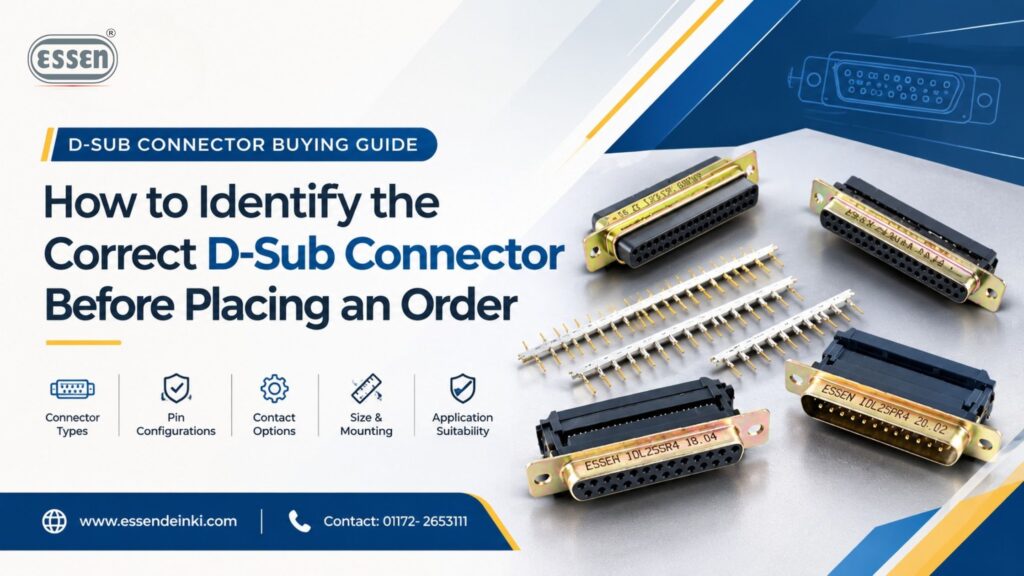
Quick answer: To identify the correct D-Sub connector before ordering, confirm the connector size/series, pin count, male or female configuration, mounting style, termination type, electrical ratings, and environmental requirements. Cross-check these specifications against your application and the mating connector before contacting a supplier like Essen Deinki to avoid compatibility issues and order delays.
Placing an order for the wrong connector can stall an entire production line. A mismatched pin count, an unexpected gender swap, or an incompatible mounting style can turn a routine procurement task into a costly delay. This is especially true for D-Sub connectors, a connector family known for its versatility but also for the sheer number of variations available.
Searching “D-Sub connector” and picking the first result that looks right rarely works. These connectors differ in shell size, contact count, gender, termination method, mounting orientation, and material specification. Two connectors that look nearly identical in a catalog photo can be completely incompatible in practice.
This guide walks through exactly what to check before placing an order for D-Sub connectors, so engineers, procurement teams, and industrial buyers across India can avoid the common mistakes that lead to returns, rework, and project delays.
What Are D-Sub Connectors?
D-Sub connectors (short for D-subminiature connectors) are a family of electrical connectors named for their distinctive D-shaped metal shell. This shape allows for foolproof polarization, meaning the connector can only be mated in one orientation, reducing the risk of incorrect connections.
D-Sub connectors are used extensively in industrial automation, telecom systems, control panels, data processing equipment, and PCB-based systems. Their metal shell provides shielding against electromagnetic interference, which makes them a reliable choice for signal and power transmission in demanding environments.
Because D-Sub connectors serve such a wide range of applications, manufacturers produce them in multiple series, shell sizes, and configurations. That variety is precisely why buyers need a structured approach before placing an order.
How to Identify the Correct D-Sub Connector Before Ordering
Below is a step-by-step breakdown of the specifications every buyer should confirm before finalizing a D-Sub connector order.
1. Confirm the D-Sub Connector Size
D-Sub connectors come in standard shell sizes, often labeled with letters such as E, A, B, C, and D. Each shell size corresponds to a specific number of contact positions and physical dimensions.
Why it matters: The shell size determines whether the connector will physically fit your panel cutout, enclosure, or mating connector. Ordering the wrong size means the connector simply won’t fit, regardless of how correct the other specifications are.
What to check: Match the shell size to your panel cutout dimensions or existing mating connector. For reference, connectors with 9 contacts typically use the smallest common shell size, while those with 37 or 50 contacts use progressively larger shells.
What can go wrong: Ordering by “the number of pins” alone, without confirming the shell size, can lead to a connector that has the right pin count but the wrong physical footprint for your equipment.
2. Check the Number of Pins/Contacts
The pin count (also called contact count) refers to how many individual conductive paths the connector provides. Common configurations include 9, 15, 25, 37, and 50 pins.
Why it matters: Every wire, signal, or power line in your application needs a corresponding contact. Too few pins means your application can’t be fully wired. Too many, while not always a functional problem, can complicate cable management and add unnecessary cost.
What to check: Count the actual number of signal and power lines your application requires, then match that number to the appropriate D-Sub connector configuration. Always verify this against your wiring diagram or schematic rather than relying on memory or assumption.
What can go wrong: A buyer who orders a 25-pin connector when the application actually requires 37 pins will need to reorder, delaying the project and potentially creating downtime.
3. Confirm Male or Female Configuration
D-Sub connectors are supplied in male (pin) and female (socket) versions. The male connector has protruding pins, while the female connector has receptacles designed to receive those pins.
Why it matters: Gender determines whether your connector will actually mate with the corresponding connector on your cable, panel, or PCB. This is one of the most common ordering mistakes because male and female connectors of the same series and pin count look similar in a catalog listing.
What to check: Identify the gender of the existing connector on your equipment or cable, then order the opposite gender to ensure a proper mate. If you’re specifying both sides of a new connection, decide gender based on which side needs protected contacts (typically the female side, since sockets are less exposed than pins).
What can go wrong: Ordering two connectors of the same gender means they simply won’t connect, requiring a return or a second order.
4. Verify Mounting and Orientation
D-Sub connectors are available in different mounting styles, including panel mount, PCB mount, and cable mount. Mounting can also be described as rigid, with front or rear mounting orientation depending on how the connector attaches to the panel or enclosure.
Why it matters: The mounting style determines how the connector will physically integrate into your enclosure or circuit board. A panel-mount connector, for example, is not interchangeable with a PCB-mount connector, even if the electrical specifications match.
What to check: Confirm whether the connector needs to mount to a panel cutout, solder directly onto a PCB, or terminate to a cable. Also confirm whether front or rear mounting is required, since panel cutout dimensions can differ slightly between the two.
What can go wrong: A PCB-mount connector ordered for a panel application will have no practical way to install, leading to wasted stock and a repeat order.
5. Check the Termination Type
Termination refers to how the connector attaches to the wire or circuit. Common termination methods for D-Sub connectors include crimp, solder cup, insulation displacement connection (IDC) for ribbon cable, and PCB solder tail.
Why it matters: The termination method affects both the assembly process and the tools required. Crimp terminations, for instance, require a crimping tool and separate contacts, while IDC terminations are designed for ribbon cable and a specific press tool.
What to check: Match the termination type to your existing wiring method and available assembly tools. If your application uses ribbon cable, an IDC-style D-Sub connector, such as those in the IDL Series, is generally more practical than a crimp-style connector.
What can go wrong: Ordering a crimp-style connector for a ribbon cable application means the connector is functionally incompatible with your existing cable and tooling.
6. Review Electrical Specifications
Electrical specifications include current rating, voltage rating, dielectric strength, and contact resistance. These figures determine how much electrical load the connector can safely carry.
Why it matters: Undersized electrical ratings can lead to overheating, contact degradation, or connector failure. For example, some D-Sub connector series are rated for a 5A current rating and 1000V dielectric strength, which is suitable for many industrial control applications, but not necessarily for higher-power circuits.
What to check: Compare the current and voltage requirements of your application against the connector’s published electrical specifications before ordering. If your application exceeds these ratings, look for a series specifically designed for higher current handling.
What can go wrong: Using an underrated connector in a high-current application can cause premature failure and, in more serious cases, safety hazards.
7. Consider Housing and Environmental Requirements
The connector’s housing material and shell plating affect its resistance to environmental factors like moisture, oil, dust, and temperature extremes. Flame-retardant thermoplastic insulators, for example, are often rated to UL94V-O standards for added fire safety, and contacts are typically made from copper alloy for conductivity and durability.
Why it matters: A connector installed in a harsh industrial environment, such as one exposed to oil, water, or debris, needs sealed construction and corrosion-resistant housing. A standard connector in that same environment may degrade quickly.
What to check: Identify the operating environment for your application, including exposure to moisture, chemicals, dust, or temperature extremes. Some D-Sub connector series are built specifically for these conditions, with corrosion-resistant housings and sealed construction, while others are intended for more controlled indoor environments. Also check the operating temperature range; some connectors are rated from as low as -50°C to as high as +105°C.
What can go wrong: Selecting a general-purpose connector for a harsh environment can lead to premature corrosion, contact failure, or reduced signal integrity over time.
8. Confirm Application and Compatibility
Beyond individual specifications, it’s important to step back and confirm that the connector as a whole suits your intended application, whether that’s data processing, telecom, instrumentation, or general industrial automation, and that it is fully compatible with the connector it will mate with.
Why it matters: Even if every individual specification seems correct, connectors from different manufacturers or series can have slight dimensional or contact differences that prevent a reliable mate.
What to check: Whenever possible, confirm compatibility with the exact mating connector you’ll be using, either by matching part numbers or by consulting with the supplier directly.
What can go wrong: Assuming compatibility based on general specifications alone, without confirming against the actual mating part, is one of the most common sources of last-minute ordering issues.
D-Sub Connector Ordering Checklist
Before contacting a supplier, use this checklist to gather the information needed for an accurate D-Sub connector order:
- Connector type/series: Which D-Sub connector series or family is required?
- Number of contacts: 9, 15, 25, 37, 50, or another configuration?
- Gender: Male or female?
- Mounting style: Panel, PCB, or cable mount? Front or rear mounting?
- Termination method: Crimp, solder cup, IDC, or PCB solder tail?
- Electrical requirements: Required current rating, voltage rating, and dielectric strength.
- Material/environmental requirements: Any exposure to moisture, oil, dust, or extreme temperatures?
- Application: What system or equipment will the connector be used in?
- Required quantity: How many units are needed?
- Special specifications: Any custom pin layout, plating, or shielding requirements?
Having this information ready before reaching out to a manufacturer significantly speeds up the quoting and ordering process.
Specification Comparison Table
| Specification to Check | What the Buyer Should Confirm | Why It Matters |
| Connector Size/Series | Required D-Sub shell size (E, A, B, C, D) | Ensures physical compatibility with panel or enclosure |
| Pin Count | Number of contacts (9, 15, 25, 37, 50) | Matches the number of signal/power lines needed |
| Gender | Male or Female | Ensures proper mating with the corresponding connector |
| Mounting | Panel, PCB, or cable mount; front or rear | Ensures correct physical installation |
| Termination | Crimp, solder cup, IDC, or PCB solder tail | Ensures compatibility with wiring method and tools |
| Electrical Rating | Current rating, voltage, dielectric strength | Prevents overheating or premature failure |
| Environment | Exposure to moisture, oil, dust, temperature range | Determines need for sealed or corrosion-resistant housing |
Common Mistakes to Avoid When Ordering D-Sub Connectors
Even experienced buyers can run into ordering issues with D-Sub connectors. Here are the most frequent mistakes to avoid:
- Ordering only by connector name: Referring to a connector generically as “a D-Sub connector” without specifying size, pin count, or gender leaves too much room for error.
- Not checking pin count: Assuming pin count based on a similar past order, rather than verifying it against the current application’s wiring diagram, often leads to under- or over-specified connectors.
- Ignoring male/female configuration: This is one of the most common mistakes, since male and female connectors can look similar in catalog images but will not mate with each other.
- Not confirming mounting requirements: Ordering a connector without checking whether it needs to be panel, PCB, or cable mounted can result in a part that physically cannot be installed.
- Not checking termination type: Mismatched termination methods, such as ordering crimp-style contacts for a ribbon cable application, create assembly problems down the line.
- Ignoring electrical specifications: Failing to confirm current and voltage ratings can result in connectors that aren’t rated for the application’s actual load.
- Failing to confirm compatibility: Assuming a connector will mate correctly with existing equipment, without checking part numbers or consulting the supplier, is a frequent cause of returns.
- Not communicating application requirements to the supplier: Suppliers can often catch a specification mismatch early if they understand what the connector will actually be used for. Withholding this context removes that safety net.
Each of these mistakes can lead to compatibility issues, order delays, product returns, or incorrect component selection, all of which add unnecessary cost and time to a project.
Why Contact Essen Deinki for D-Sub Connector Requirements?
Once you’ve worked through the specifications above, you should have a fairly clear picture of the D-Sub connector your application requires. Still, some applications involve unique constraints, whether that’s a harsh operating environment, a specific electrical load, or a legacy system that needs an exact match.
Essen Deinki has manufactured electronic components, including D-Sub connectors, microswitches, and electro-mechanical parts, since 1964. With over 10,000 square meters of production space across three centers in Chandigarh and a presence in 15 countries, Essen Deinki offers several D-Sub connector series designed for different industrial needs:
- The M Series is built for harsh conditions, with five shell sizes (E, A, B, C, D), 9 to 50 contact configurations, flame-retardant thermoplastic insulators rated UL94V-O, and a trapezoidal shape for foolproof polarization, well suited to data processing, telecom, and instrumentation applications.
- The 863 Series is designed for environments exposed to oil, water, and debris, with corrosion-resistant, sealed construction and crimp-style contacts across five shell sizes.
- The IDL Series uses copper alloy contacts and flame-retardant thermoplastic insulators, withstands dielectric strength up to 1000V, and operates across a temperature range of -50°C to +105°C, making it suitable for ribbon cable terminations and high-speed signal routing.
- The C Series (8.1 mm footprint) uses durable steel shells with zinc, cadmium, or tin plating options and is rated for a 5A current and 1000V dielectric strength.
If you’re unsure which specification is right for your project, Essen Deinki’s team can help identify a suitable D-Sub connector based on your application, provided you share details such as connector type, pin count, gender, mounting style, termination method, and the environment the connector will operate in. You can explore the full range of options on the Essen Deinki D-Sub Connectors page.
Frequently Asked Questions
How do I choose the right D-Sub connector for my application?
Start by identifying your required pin count, gender, mounting style, and termination method, then confirm electrical ratings and environmental requirements. Matching these specifications against your application and the mating connector is the most reliable way to select the correct D-Sub connector before ordering.
What is the difference between male and female D-Sub connectors?
Male D-Sub connectors have protruding pins, while female D-Sub connectors have sockets that receive those pins. The two must be paired correctly, one male and one female, for the connection to mate properly.
What happens if I order the wrong D-Sub connector pin count?
Ordering the wrong pin count typically means the connector can’t accommodate all the required signal or power lines, or that it won’t physically mate with your existing connector. This usually results in a return or reorder, adding delay to your project timeline.
Can D-Sub connectors be customized for specific applications?
Yes, D-Sub connectors can often be customized with specific pin layouts, contact plating, mounting styles, and shielding to suit specialized industrial, telecom, or embedded system applications. It’s best to discuss custom requirements directly with a manufacturer.
Get the Right D-Sub Connector the First Time
Ordering D-Sub connectors doesn’t have to involve guesswork. By confirming connector size, pin count, gender, mounting style, termination method, electrical ratings, and environmental requirements before placing an order, engineers and procurement teams can avoid the delays and returns that come with a mismatched connector. If you’re still unsure which D-Sub connector specification fits your application, Essen Deinki’s team is available to help you identify the right option. Share your application details, whether it’s pin count, mounting requirements, or environmental conditions, and get expert guidance suited to your project. Contact Essen Deinki today to discuss your D-Sub connector requirements.